Meta Title: UI/UX Design Services | WEBSANCHOR LIMITED
Meta Description: Discover how professional UI/UX design improves website usability, user satisfaction, and conversions with WEBSANCHOR LIMITED’s user-focused design solutions.
Suggested URL Slug: /blog/ui-ux-design-business-guide/
Introduction
In today’s digital world, a website needs more than an attractive appearance to succeed. It must provide a smooth, intuitive, and enjoyable experience that helps visitors find information, understand services, and take action. This is where User Interface (UI) and User Experience (UX) design become essential.
Professional UI/UX design helps businesses create digital experiences that look appealing, function effectively, and meet customer expectations. From website layouts and navigation to interactive elements and mobile responsiveness, every design decision can influence how users interact with a business online.
At WEBSANCHOR LIMITED, we focus on creating user-centered digital experiences that combine visual clarity, practical functionality, and business objectives.
What Is UI/UX Design?
UI/UX design combines two closely related disciplines: User Interface design and User Experience design. Although they work together, each has a different purpose.
What Is UI Design?
User Interface design focuses on the visual and interactive elements of a website or digital product. It determines how a digital interface looks and how users interact with its components.
UI design commonly includes:
- Color palettes and typography
- Buttons, icons, and interactive elements
- Website layouts and spacing
- Images, illustrations, and visual hierarchy
- Form fields and interface components
- Consistent branding across pages
A well-designed interface makes a website visually appealing, consistent, and easy to understand.
What Is UX Design?
User Experience design focuses on the overall experience people have when using a website or digital product. It considers user needs, expectations, behavior, and potential difficulties.
UX design activities may include:
- User research and audience analysis
- Website structure and information architecture
- User journeys and navigation planning
- Wireframing and prototyping
- Usability testing and feedback analysis
- Identifying and resolving user frustrations
The goal is to help visitors complete their intended tasks with as little confusion as possible.
Why UI/UX Design Matters for Businesses
Your website often creates a visitor’s first impression of your business. A confusing layout, inconsistent design, or difficult navigation may cause potential customers to leave before discovering your services.
Professional UI/UX design helps address these problems by making digital experiences clearer and more user-friendly.
1. Creates a Strong First Impression
A polished, consistent interface helps communicate professionalism. Thoughtful typography, appropriate colors, organized layouts, and quality visual elements can make your business appear more credible.
2. Improves Website Usability
Visitors should be able to understand your website without unnecessary effort. Clear navigation, recognizable buttons, readable content, and logical page structures help users find what they need.
3. Supports Customer Engagement
When visitors can interact with your website comfortably, they may be more willing to explore additional pages, learn about your services, and engage with your business.
4. Helps Improve Conversions
A well-planned user journey can make important actions easier to complete. Clear calls to action, straightforward forms, and focused landing pages can support goals such as inquiries, registrations, and purchases.
However, actual conversion results also depend on factors such as pricing, traffic quality, content, and the value of the offer.
5. Strengthens Brand Consistency
Consistent visual elements and interaction patterns help create a recognizable brand experience across different pages and devices.
Essential Elements of Effective UI/UX Design
Successful UI/UX design combines visual communication, functionality, accessibility, and usability.
User-Centered Design
Design decisions should reflect the needs and expectations of the intended audience. Understanding who will use the website helps determine which features, content, and navigation structures are appropriate.
Clear Navigation
Visitors should understand where they are and how to reach other sections. Simple menus, meaningful page labels, and logical content organization make websites easier to navigate.
Visual Hierarchy
Visual hierarchy helps users recognize which information deserves attention first. Designers use headings, spacing, contrast, typography, and element placement to guide visitors through a page.
Responsive Design
A website should provide a consistent experience across desktops, tablets, and smartphones. Responsive layouts adapt to different screen sizes while keeping content readable and controls easy to use.
Accessibility
Accessible design helps people with different abilities use digital products. Important practices include readable text, sufficient color contrast, keyboard navigation, meaningful labels, and appropriate alternative text for informative images.
Consistent Interface Components
Buttons, forms, menus, and other components should behave consistently throughout the website. Consistency reduces the learning effort required from users and creates a more predictable experience.
The UI/UX Design Process
A structured design process helps transform business requirements into a practical digital experience.
Step 1: Research and Discovery
The process begins with understanding the business, target audience, website objectives, and existing challenges.
Research may involve reviewing competitor websites, studying user needs, identifying important tasks, and clarifying the project’s requirements.
Step 2: Information Architecture
Information architecture organizes content into a logical structure. Designers determine page relationships, navigation categories, and how users should move through the website.
Step 3: Wireframing
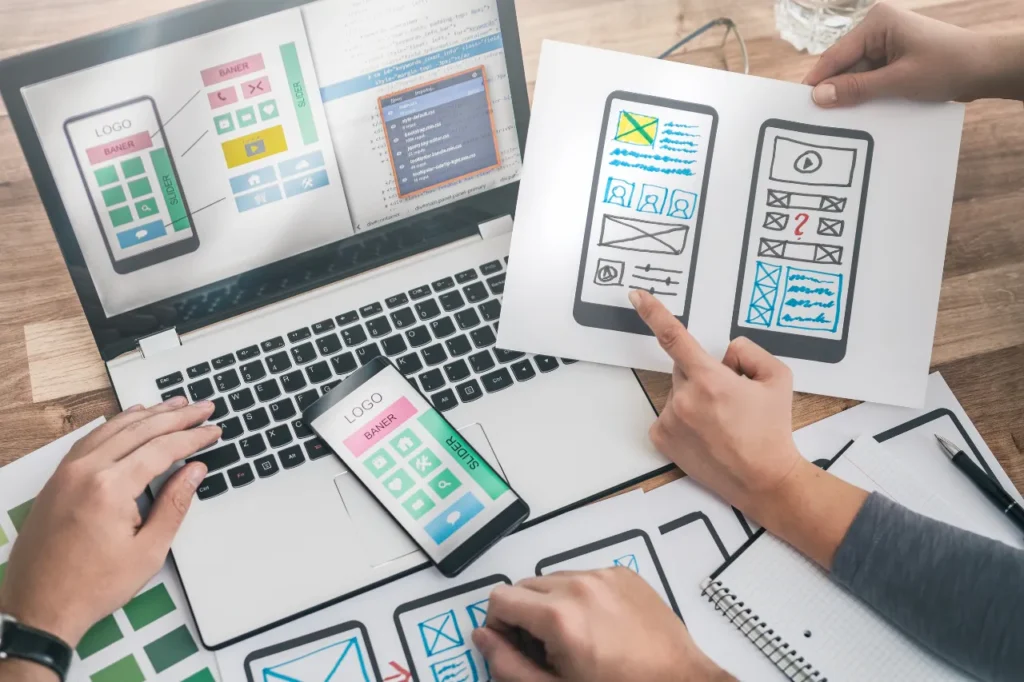
Wireframes provide a simplified representation of page layouts before detailed visual styling begins. They help establish content placement, page hierarchy, and essential functionality.
Step 4: Visual UI Design
Designers develop the visual direction, including colors, typography, spacing, imagery, buttons, and reusable interface components.
The result should reflect the brand while maintaining clarity and usability.
Step 5: Interactive Prototyping
Prototypes demonstrate how users might interact with the interface. They can illustrate navigation, form behavior, menus, and important user journeys before development begins.
Step 6: Usability Testing
Testing helps identify confusing layouts, unclear labels, unnecessary steps, and other usability problems. Feedback is used to refine the design.
Step 7: Development Handoff
The approved designs and specifications are prepared for implementation. Depending on the project, this may include responsive layouts, component states, spacing rules, design assets, and interaction notes.
Step 8: Review and Improvement
After launch, website analytics, user feedback, and usability observations can help identify further improvements. UI/UX design should evolve as business needs and user expectations change.
UI/UX Design for Mobile Websites
Mobile usability is essential because many visitors access websites from smartphones. A design that works well on a desktop may become frustrating on a smaller screen if it is not adapted properly.
Effective mobile UI/UX design considers:
- Responsive layouts for different screen sizes
- Touch-friendly buttons and controls
- Readable typography and appropriate spacing
- Simple mobile navigation
- Short, easy-to-complete forms
- Fast-loading pages and optimized media
- Clear visibility of important calls to action
Designers should test important pages on multiple screen sizes to identify layout problems before launch.
UI/UX Design and Website Performance
A visually attractive website is not necessarily an effective website. Performance, usability, and visual design must work together.
Large images, excessive animation, unnecessary interface elements, and poorly implemented components can affect loading speed or distract visitors.
Good design practices include prioritizing essential content, optimizing image assets, minimizing unnecessary visual effects, and collaborating with developers to implement designs efficiently.
Performance should be measured through appropriate tools and real-user data rather than judged by appearance alone.
UI/UX Design for WordPress and Custom Websites
UI/UX principles apply to websites built with different technologies. The right approach depends on project requirements, functionality, budget, and future plans.
UI/UX Design for WordPress
WordPress is useful for business websites that require manageable content, reusable layouts, and ongoing publishing.
UI/UX design for WordPress may include custom page layouts, consistent components, intuitive navigation, responsive templates, and simplified content management.
UI/UX Design for Custom HTML and CSS Websites
Custom HTML and CSS websites offer direct control over structure, styling, and interface presentation. They can be suitable for projects that need a carefully tailored visual experience and specific layout requirements.
JavaScript may be used when interactive behavior is needed.
Regardless of technology, the objective remains the same: create a clear, accessible, and user-friendly experience.
Common UI/UX Design Mistakes to Avoid
Even attractive websites can struggle when important usability principles are overlooked.
Common mistakes include:
- Overcrowding pages with too many elements
- Using unclear navigation labels
- Choosing difficult-to-read fonts
- Relying on colors with insufficient contrast
- Creating buttons that are difficult to identify
- Ignoring mobile layouts
- Using forms with unnecessary fields
- Adding distracting animations
- Failing to test real user journeys
- Designing without clear business objectives
Avoiding these problems helps create interfaces that are easier to understand and use.
How Much Does UI/UX Design Cost?
UI/UX design costs depend on the project’s scope, complexity, number of screens, research requirements, prototype depth, and testing needs.
A small business website may require only a few key page designs, while a complex digital product may need extensive user research, detailed interaction design, and multiple rounds of testing.
When comparing design packages, consider what is included:
- Number of pages or screens
- User research and planning
- Wireframes and interactive prototypes
- Visual design and reusable components
- Responsive design specifications
- Usability testing and revisions
- Developer handoff documentation
At WEBSANCHOR LIMITED, project pricing can be structured around clearly defined deliverables and a one-time project payment where appropriate. Hosting, third-party tools, and ongoing services may be priced separately if required.
How to Choose the Right UI/UX Design Company
Choosing a suitable design partner can help you avoid unnecessary revisions and create a more effective digital experience.
Before selecting a provider, consider the following factors.
Review the portfolio: Look for examples that demonstrate clear layouts, consistent visual systems, and thoughtful user journeys.
Understand the process: Ask how the provider handles research, wireframes, prototypes, feedback, and testing.
Check the deliverables: Confirm whether you will receive design files, responsive specifications, reusable components, and development guidance.
Discuss communication: Establish how feedback, revisions, deadlines, and approvals will be managed.
Clarify the pricing: Understand what is included in the quoted price and whether additional work or third-party services cost extra.
Consider business goals: Choose a design approach that supports your audience, services, and desired outcomes rather than focusing on appearance alone.
The Future of UI/UX Design
UI/UX design continues to evolve as technologies and user expectations change. Businesses can benefit from understanding emerging approaches while maintaining a focus on usability.
Important developments include:
- AI-assisted design workflows
- Personalized digital experiences
- Accessibility-focused design practices
- Voice and conversational interfaces
- More sophisticated interactive prototypes
- Design systems for consistent experiences
- Data-informed usability improvements
New tools can accelerate design work, but they do not replace the need to understand users, evaluate usability, and make thoughtful decisions.
Conclusion
Professional UI/UX design helps businesses create websites that are attractive, intuitive, accessible, and aligned with user needs. By combining research, clear navigation, responsive layouts, consistent visual elements, and usability testing, businesses can offer visitors a more effective digital experience.
Whether you need a new business website, a redesign, or a more focused landing page, a user-centered approach can help make your website easier to use and better aligned with your objectives.
WEBSANCHOR LIMITED provides website-focused design and development solutions intended to help businesses establish a professional online presence.
Ready to improve your website experience? Contact WEBSANCHOR LIMITED to discuss your project requirements and explore a design approach suited to your business.
Contact Information
- Website: https://websanchorltd.co.uk/
- Email: sulob@webanchorltd.co.uk
- Phone: +44 7737 136044
- Address: 82a James Carter Road, Mildenhall, United Kingdom, IP28 7DE
Recommended SEO Settings
Focus Keyword: UI/UX Design Services
Secondary Keywords:
- Professional UI/UX Design
- Website UI Design
- User Experience Design
- User Interface Design
- Website Usability
- Responsive Website Design
- Business Website Design
Suggested Featured Image: A modern website design workspace showing responsive desktop and mobile website mockups, wireframes, interface components, and a clean design system.
Image Alt Text: Professional UI/UX design showing responsive website layouts and interface components.
Suggested Internal Links:
- WordPress Business Website Development
- Custom HTML & CSS Website Development
- Business Website Redesign & Modernization
- Landing Page & Lead Generation Website Design
Recommended URL: https://websanchorltd.co.uk/blog/ui-ux-design-business-guide/
Publishing Tip: Add the article to your blog, use the focus keyword naturally in the introduction and at least one heading, compress the featured image, and link to your relevant service page using descriptive anchor text.